Bank statement converter · PDF to Excel, CSV, Xero & QuickBooks
Your bank sends a PDF.
Your accountant wants a spreadsheet.We do the bit in between.
Upload a bank or credit card statement and get every transaction back as a tidy Excel, CSV or JSON file, or one that's ready to import into Xero or QuickBooks. Scanned PDFs included. No retyping, no squinting.
Paid plans · secure checkout · files deleted right after processing
- A1 · Users
- 700+
- B1 · Accuracy
- 95%+
- C1 · Scanned PDFs
- Yes
- D1 · Files kept
- None
Bank statements are made to be read, not reused.
Which is why getting one into a spreadsheet takes so much longer than it should.
The usual way
Est. time: most of an evening- Copy and paste from the PDFEvery column lands in one cell.
- Retype it by hand insteadOne slipped digit and nothing reconciles.
- Ask the bank for a CSVIf they offer one, it rarely covers the period you need.
- Tidy it up for Xero or QuickBooksThere goes the evening.
With AI Bank Statement
Est. time: about 30 seconds a statement
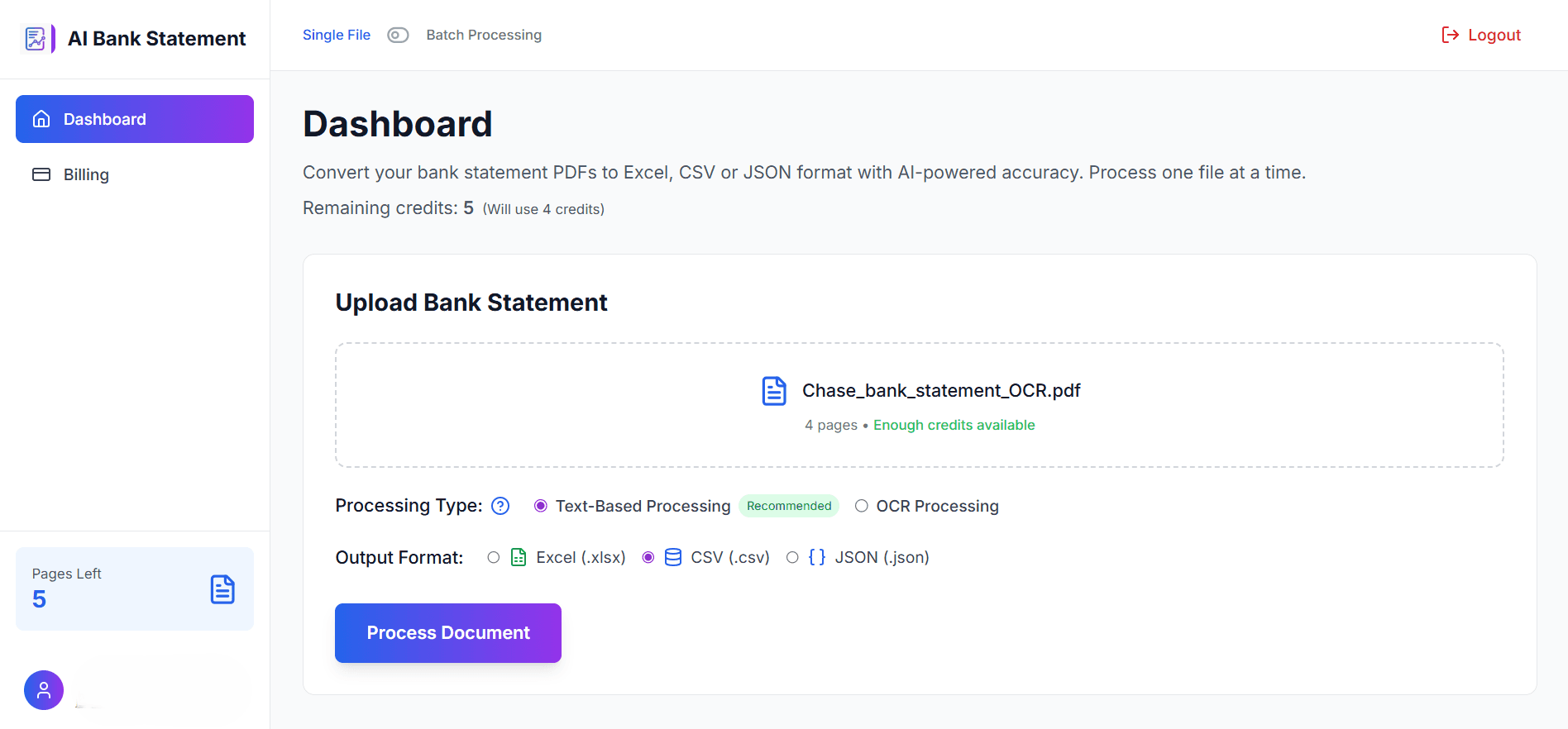
- 1Upload the PDF, even a scanned one
- 2Pick Excel, CSV, JSON, Xero or QuickBooks
- 3Download it, give it a once-over, import
Your evening, returned in full.
How it works
Three steps. No setup.
No templates to build, no rules to write, no bank to configure.
Upload your statements
Drop in one PDF or a whole batch. Text-based or scanned, from any bank that gives you a PDF statement.
Choose your format
Excel, CSV or JSON, or a file laid out for Xero or QuickBooks (3- or 4-column). Each file can have its own setting.
Download and check
Every transaction, one per row. Accuracy is 95%+, but you're the one signing off the books, so give the totals a once-over.
Paid plans from $12/month · instant access after checkout
Output formats
Whatever your software wants, it gets.
For people who like to sort, filter and SUM.
Opens anywhere. Imports almost anywhere.
Laid out for Xero's statement import.
Matches QuickBooks Online's upload layouts.
For developers and data pipelines.
Card statements convert the same way.
Reads scanned statements
Old, photocopied or printed-and-scanned PDFs go through OCR mode. Text-based PDFs go straight through.
Keeps the numbers straight
95%+ accuracy, with dates and amounts read in the statement's own format, so 03/04 means what your bank meant.
Forgets your statements
Uploaded files are deleted right after processing. We don't keep copies of your bank statements.
Batch processing
Twelve statements? Do them all at once.
Built for month-end, year-end and the client who sends a whole year of PDFs the week before the deadline.
Upload a stack at once
Up to 20 files together on Starter, as many as you like on Professional.
Settings per file
One statement to Xero, the scanned one through OCR, another to Excel. Same batch.
One download
Everything comes back together in a single ZIP.
Batch queue
4 files · 28 pages- client_a_jan.pdf3 pagesXero CSVText-based
- client_a_feb_scan.pdf12 pagesExcelOCR
- savings_q1.pdf5 pagesJSONText-based
- business_card_march.pdf8 pagesQuickBooks 4-colText-based
Who it's for
For anyone who's ever retyped a statement and thought, never again.
Accountants & bookkeepers
Clients send PDFs; you need ledgers. Convert a client's whole year in one batch and import it straight into Xero or QuickBooks.
Small businesses
Catch up on the books before the tax deadline without giving up a weekend to data entry.
Freelancers & contractors
Turn a year of statements into a spreadsheet your accountant will actually thank you for.
Lenders & brokers
Review an applicant's statements as sortable data, not thirty pages of PDF.
Banking in one of these? We've written guides for your banks: UK, Canada, Australia, Ireland, Denmark.
Pricing
Priced per page. That's the whole formula.
One page of PDF uses one page of your plan, whichever format you choose.
Starter
For freelancers and small businesses.
about $0.03 a page
- 400 pages a month
- Excel, CSV, JSON, Xero and QuickBooks formats
- Scanned PDFs (OCR)
- Batch upload, up to 20 files at once
Professional
For bookkeepers and accounting firms.
about $0.024 a page
- 1,000 pages a month
- Everything in Starter
- Unlimited batch size
- Priority support, 2-hour response time
Enterprise
For high volumes.
volume pricing
- 5,000+ pages a month
- Dedicated support
- Custom integrations
Prices in US dollars, before any sales tax, VAT or GST added at checkout. Secure checkout, instant access after payment.
FAQ
Fair questions.
How accurate is it?
95%+ on typical bank statements. Clear, text-based PDFs do best; scanned ones go through OCR mode. We still suggest checking the totals against the statement before you rely on the figures, the same as you would with any import.
What happens to my statements after I upload them?
They're processed over an encrypted connection and deleted immediately after processing. We don't keep copies of your bank statements. Our privacy policy has the details.
Which banks does it work with?
Any bank or card issuer that gives you a PDF statement. There's no per-bank setup: the converter reads each statement's layout as it comes. We've also written guides for major banks in the UK, Canada, Australia, Ireland and Denmark.
What can I upload, and what do I get back?
PDF statements, including scanned PDFs (use OCR mode). Image files such as JPG or PNG aren't supported yet, so save them as a PDF first. You get back Excel (.xlsx), CSV, JSON, Xero CSV, or QuickBooks 3-column or 4-column CSV.
How does pricing work?
Each page of a PDF uses one page of your plan. A 6-page statement uses 6 pages. Starter is $12 a month for 400 pages and Professional is $24 a month for 1,000. Taxes may be added at checkout depending on where you are.
Is there a free plan?
No. It's a paid service from $12 a month, which keeps it simple: no ads, and no catch.
Can I cancel anytime?
Yes. Cancel whenever you like, with no cancellation fee. Your plan stays active until the end of the period you've paid for.
Can I convert lots of statements at once?
Yes. Batch upload takes up to 20 files at once on Starter and any number on Professional, with separate settings for each file, and everything downloads together as a ZIP.
Still wondering? Read the full FAQ or get in touch.
Life's too short to retype a bank statement.
Upload one and see for yourself. Plans from $12 a month.
Secure checkout · instant access · files deleted right after processing